<?php /** * The header for our theme * * This is the template that displays all of the <head> section and everything up until <div id="content"> * * @link https://developer.wordpress.org/themes/basics/template-files/#template-partials * * @package Markup */ $GLOBALS['markup_theme_options'] = markup_get_options_value(); global $markup_theme_options; $enable_slider = absint($markup_theme_options['markup_enable_slider']); $enable_box = $markup_theme_options['markup_enable_promo']; ?> <!doctype html> <html <?php language_attributes(); ?>> <head> <meta charset="<?php bloginfo( 'charset' ); ?>"> <meta name="viewport" content="width=device-width, initial-scale=1"> <link rel="profile" href="https://gmpg.org/xfn/11"> <?php wp_head(); ?> </head> <body <?php body_class(); ?>> <?php //wp_body_open hook from WordPress 5.2 if ( function_exists( 'wp_body_open' ) ) { wp_body_open(); }else { do_action( 'wp_body_open' ); } ?> <div id="page" class="site "> <a class="skip-link screen-reader-text" href="#content"><?php esc_html_e( 'Skip to content', 'markup' ); ?></a> <?php /** * Hook - markup_action_header. * * @hooked markup_add_main_header - 10 */ do_action( 'markup_action_header' ); ?> <?php if ($enable_slider == 1 && (is_home() || is_front_page())) { ?> <section class="slider-wrapper"> <?php /* * Slider Section Hook */ do_action('markup_action_slider'); ?> </section> <?php } ?> <?php if ($enable_box == 1 && (is_home() || is_front_page() ) ) { ?> <section class="promo-slider-wrapper"> <?php /* * Boxes Section Hook */ do_action('markup_action_boxes'); ?> </section> <?php } ?>
watsapp-uber
Trending news Technology

Now you can book Uber cabs through WhatsApp

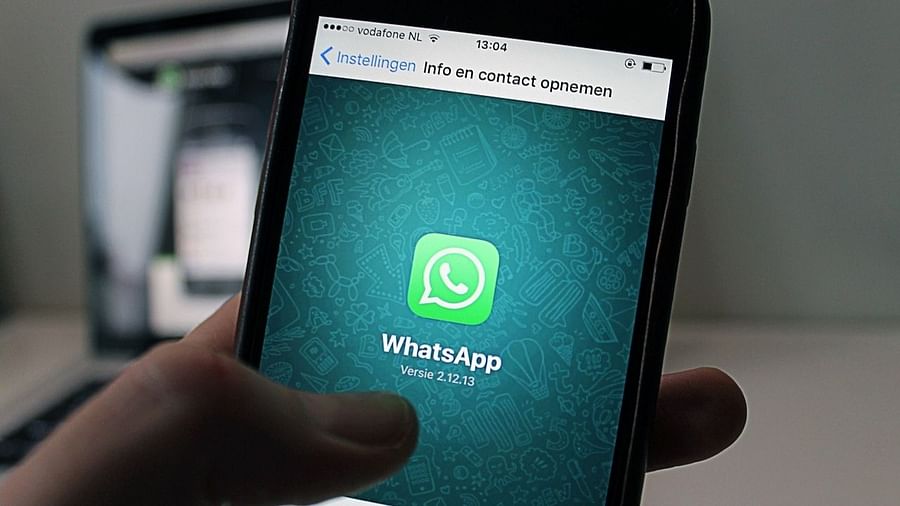
Uber has announced that starting this week, it is launching a new service that will give users the option to book an Uber ride through the Uber WhatsApp chatbot.

Uber customers in India will soon be able to book cab rides using WhatsApp, the ride-hailing company announced on Thursday (December 2). Uber said that the company’s integration with the hugely popular messaging app WhatsApp, owned by Meta (formerly Facebook), will be done globally.

Uber has announced that starting this week, it is launching a new service that will give users the option to book Uber rides through the Uber WhatsApp chatbot. Uber has been operating in India for the last eight years and is available in 70 cities. With Indians soon getting the feature to book themselves a cab without even opening the app, let’s take a look at how you can do it.

Will this facility be available everywhere in India?

At present it is being started in Lucknow on pilot base. The company said that it will soon be made available in other Indian cities. The next number in the list will be from Delhi.

Do you no longer need the Uber app to book a cab?

Yes. The company has said that with this integration with WhatsApp, riders will no longer need to download or use the Uber app. Uber said, “Riders will no longer need to download or use the Uber app. From user registration, booking of rides and receiving travel receipts, everything will be managed within the WhatsApp chat interface.”

How to book an Uber for yourself using WhatsApp?

  1. Open WhatsApp.
  2. Send “Hi” message to the number +91 792000002.
  3. The chatbot will ask you to provide the pickup and drop-off location.
  4. You will get the fare information and the expected arrival time of the driver.

What will happen to the safety of the users?

Announcing the development in its blog post, Uber said that riders will get the same safety features and insurance protection as those who book a ride directly through the Uber app. The company said, “On booking, users will be given the driver’s name and driver’s license plate information. They will be able to track the location of the driver on the way to the pickup point and will be able to talk to the driver anonymously using a masked number.”

<?php /** * The template for displaying the footer * * Contains the closing of the #content div and all content after. * * @link https://developer.wordpress.org/themes/basics/template-files/#template-partials * * @package Markup */ global $markup_theme_options; $copyright = wp_kses_post($markup_theme_options['markup-footer-copyright']); if ( is_active_sidebar('footer-1') || is_active_sidebar('footer-2') || is_active_sidebar('footer-3') || is_active_sidebar('footer-4') ) { $count = 0; for ( $i = 1; $i <= 4; $i++ ) { if ( is_active_sidebar( 'footer-' . $i ) ) { $count++; } } $footer_col= 4; if( $count == 4 ) { $footer_col= 4; } elseif( $count == 3) { $footer_col= 3; } elseif( $count == 2) { $footer_col= 2; } elseif( $count == 1) { $footer_col= 1; } } ?> <div class="footer-full-width"> <?php if ( is_active_sidebar( 'full-width-footer' ) ){ dynamic_sidebar( 'full-width-footer' ); } ?> </div> <div class="footer-wrap"> <div class="container"> <div class="row"> <?php for ( $i = 1; $i <= 4 ; $i++ ){ if ( is_active_sidebar( 'footer-' . $i ) ) { ?> <div class="footer-col-<?php echo absint( $footer_col ); ?>"> <div class="footer-top-box wow fadeInUp"> <?php dynamic_sidebar( 'footer-' . $i ); ?> </div> </div> <?php } } ?> </div> </div> <footer class="site-footer"> <div class="container"> <div class="row"> <div class="col-sm-6"> <div class="copyright"> <?php echo wp_kses_post( $copyright ); ?> <span class="sep"> | </span> <?php /* translators: 1: Theme name, 2: Theme author. */ printf( esc_html__( 'Theme: %1$s by %2$s.', 'markup' ), 'Markup', '<a href="https://www.templatesell.com/">Template Sell</a>' ); ?> </div> </div> <div class="col-sm-6"> <div class="footer-menu"> <?php wp_nav_menu( array( 'theme_location' => 'footer', 'menu_id' => 'footer-menu', 'menu_class' => 'footer-menu', ) ); ?> </div> </div> </div> </div> </footer> <?php do_action('markup_go_to_top_hook'); ?> </div> </div><!-- #page --> <?php wp_footer(); ?> </body> </html>